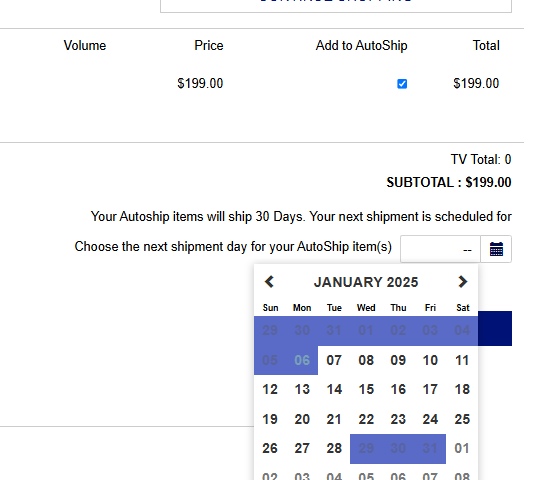
This documentation will show you how to set up an inventory item to have the Add to Autoship option during checkout.
¶ Freedom Settings for Cart Autoship Behaviors
¶ JSCART_ALLOW_AUTOSHIP
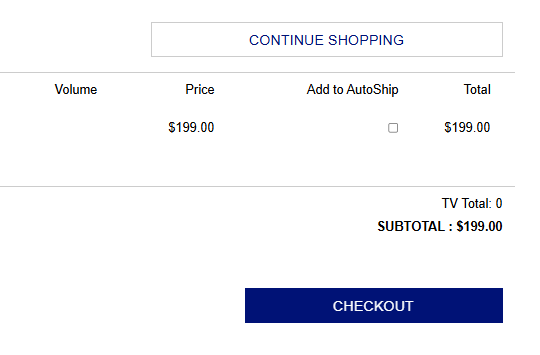
This setting will add a checkbox on the bag summary page to Add selected items to a new autoship profile.
Options
- Off
- On (All)
- Reps Only
- Customers Only
¶ JSCART_ALLOW_AUTOSHIP_PERIOD_SELECTION
This setting will allow the shopper to choose the period for the autoship.
Options
- No period selection
- Period selection drop-down
- Period and date selection drop down
¶ JSCART_AUTOSHIP_WHILE_BROWSING
This adds the Add to Autoship functionality on the item detail page in the shopping cart.
Options
- Off
- On (All)
- Reps Only
- Customers Only
¶ X2_SHOPCART_AUTOSHIP_ADJUSTPRICES_AFFECTED_ITEMS
Enable this setting to update the pricing of either the selected AutoShip items only, or all AutoShip items in the cart when preferred pricing is available.
Options
- Affects Only Selected Autoship Items
- Affects All Autoship Items
¶ JSCART_SHOW_AUTOSHIP_PRICING
Enables the ability to show AutoShip pricing during the browsing experience of the shopping cart. This functionality uses the Customer Type or Representative Types 'AutoShip Order Type' field to determine the Price Type to display.
Options
- Do not show: turns this option off.
- Show Always: will display an Autoship price for ALL Products that have AutoShip Extranet (ASExt) flagged within the inventory price rows.
- Show Price When Different: will display the original price as a strikethrough (
$20) and display the 'AutoShip Order Type' price type.
¶ X2_SHOPCART_ALLOW_AUTOSHIP
This setting will add a checkbox on the bag summary page to Add selected items to a new autoship profile.
Options
- Off
- On (All)
- Reps Only
- Customers Only
¶ Freedom Settings for Cart Autoship Profile Creation
These settings impact both Shopping Cart Add to Autoship and Enrollment Additional Autoship Options
¶ X2_OnlineOrdersAutoship_DefaultPeriod
Represents the default period for the Date Next Run on an autoship profile creation. All of the Autoship Periods types that are configured will show here.
Options
- Monthly
- Weekly
- Daily
- Quarterly
- etc.
¶ Rep and Customer options
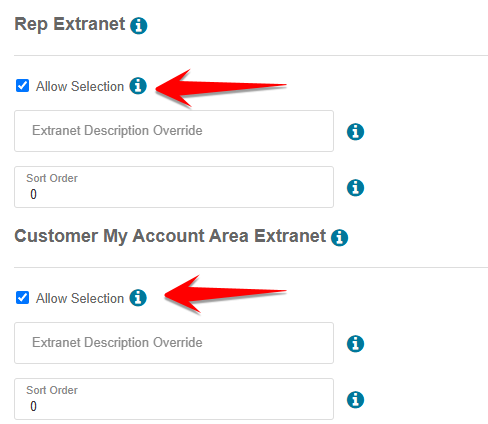
When creating the Autoship Periods, there are options for Reps and Customers to be able to use them. With these options unchecked, the rep or customer will not be able to see these periods.
¶ AUTOSHIP_NEWPROFILES_PAYWITHCREDITS
This setting determines if a new Autoship profile created from an inventory autoship template, cart, or enrollment can be paid for with credits.
Please note that Autoship profiles that are created manually from the back office, or Revolution, would use credits only if that payment option is selected by the user.
Options
- Do Not Use: Sets new profiles to not use credits.
- Use: Sets new profiles to always use credits (As long as AUTOSHIP_USECREDITS is not set to Disabled).
- Use - Only if Order was paid with credits: Sets new profiles to use credits by default only when the Cart Order was paid with credits.
¶ Inventory Autoship Prices
Every inventory item can be set up with pricing for Autoship.
For instructions on creating inventory pricing, please refer to this documentation:
See Inventory Prices.
When creating new inventory and you want it to be available as an Autoship item, be sure to check the AutoShip checkbox and the AutoShip Extranet checkbox.
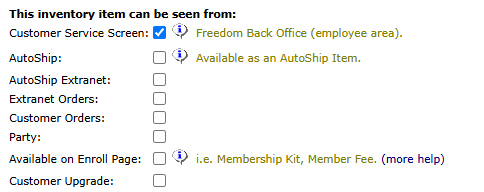
Also, check the Extranet Orders so that reps can order the item from the shopping cart. If customers can order it, then also check the Customer Orders checkbox.
Please note that items with an Autoship template should not be made available for autoship. The autoship template creates a new Autoship profile. So, if that item is that has a template is placed on autoship, it would create another new autoship profile each time autoship is ran. This could exponentially increase how many items are on autoship over time.
¶ Examples
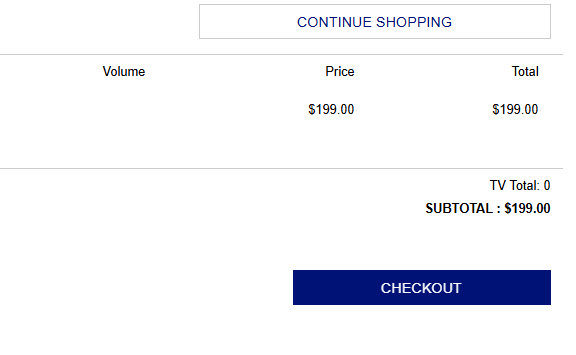
This is how the bag summary will look without the Add to Autoship option.
This is how the bag summary will look with the Add to Autoship option.
Once the check box is checked, the option to select the next shippment date will appear.